Friday, 20 March 2020

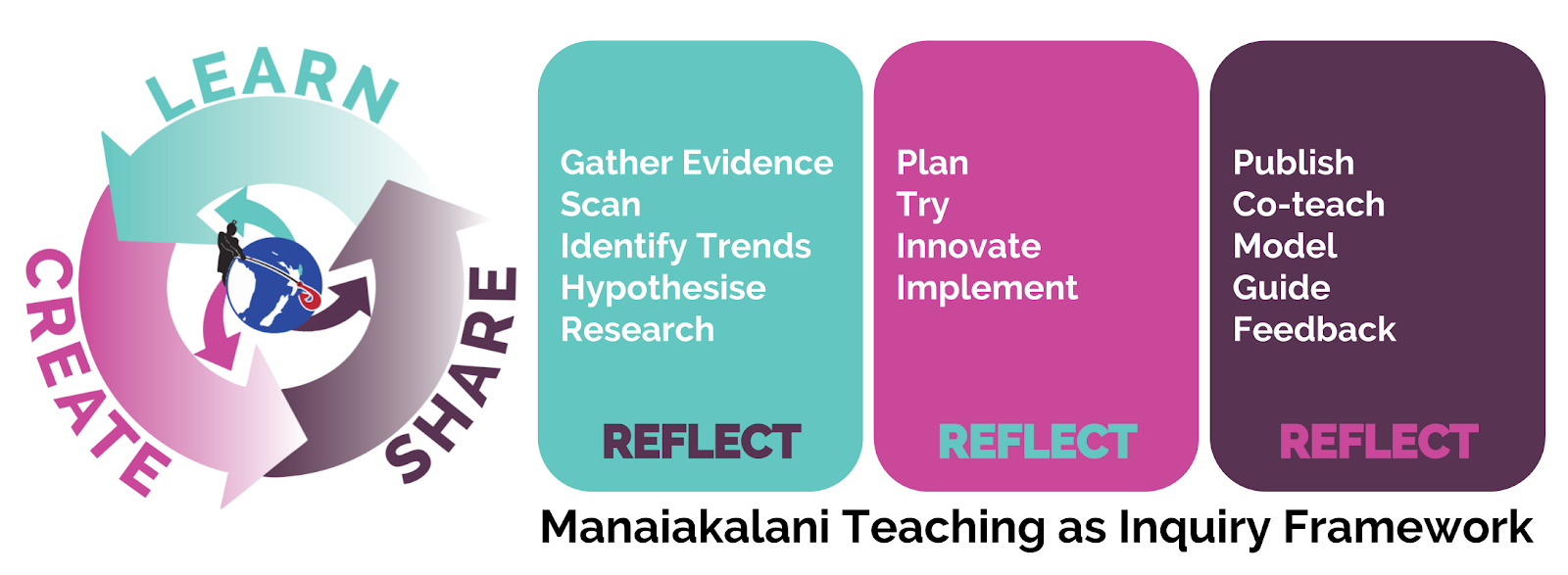
Media: Agenda Day 3 - al about CREATE today!

Straight into it - learning to use split screen - 2 seperate screens that we'll be using with our students should we have a period of students staying home and us as teachers teaching via the online portal.  Holding the green button top left will help you do this.

Create: needs to be right there in the centre of what we do! 
Playfully creative people!  Are we not happy to be around such people?  Yes!   Let's see things with a glass half full. 

Imagine what we could do online - distance learning.   Creative juices flow time!  There is research available to us that confirms the importance of creativity.  Kohl (2008) "Creativity focuses on the process of forming original ideas through exploration and discovery.   In children, creativity develops from their experiences with the process, rather than the concern for the finished product.

A great example of this in action is a principal Robin Sutton of Hornby High School has named his school 'School of Creative Excellence'. 
Creativity is at the heart of education.   It's our cultural heritage!

Disengaged learners: do we have them?   My answer is yes.   Here's something to check, are you using create element as an incentive?  For example: if you finish writing the story then you get to create... OR are you using create as part of the learning?  This is what Manaiakalani programme promotes.   Create is PART of the learning process - not a reward at end of doing some 'work'.

Creativity empowers our students, it enables students to take charge of the knowledge they have.

Planning for your learners at home?  Make sure there's lots of create in there!  Get students to hold up things they've created - share photos.   Engage the students daily with creativity in what you plan to present to them daily in class or online due to social distancing.

YOUTUBE
This session was very helpful in ensuring it's a safe space to post movies that you keep unlisted and free from comments.  A way to eliminate the extras that pop up in sidebars when showing children a video - you embed the playlist into your site. 

Google Draw - wooo hooo!
There are so many things you can create in google draw.   We are having a bit of explore of the many things you can create in this space.
Basic animation right here made in google draws.  Know about arranging background level, object level, rotating and re-sizing using shift key to keep dimensions correct.

Slides as a presentation tool
Providing slides for students is very different to using slides with a hall full of people.  Be clear in your mind about what you are presenting.  Do your images show this - your korero?  For example: at present Dorothy is visiting a number of schools/groups across NZ with the one message children can still learn at home.   Think tweet size statement.   Do this and you'll capture your audience from beginning.

You click 'new' google slides...keynote...powerpoint...ditch the default settings! 
Tips from Dorothy re planning:
Have ideas on post it notes...if they don't fit on notes then you've got too much - cut it back.
Slides are used to create digital content.  Students have created animations where they have borrowed backgrounds and object images.  Other students have created all parts on google draw.  Awesome aye?!  A great idea for home learning that may grow soon.  There's some quick learning to put in place for this to be successful.   Idea from Dorothy - give a task to students to complete using different tools.   Draw a tree - on hyperstudio, google draw, keynote etc.  Beauty of this students will notice how they have skills in one medium and how easy it is to transfer into another app/program.

Deep dive for today - Kent Somerville of Pt England School
Live streaming to youtube, can have it embedded immediately into your school site via youtube.   Your viewers can see your screen with a countdown available.  This happens when you have scheduled an event.  The camera you use needs to have the capability of hosting it's recorded footage online.  
Live streaming covers a whole lot of different events for schools.   The capturing of events in this way is useful for rewindable learning in many learning areas.   A real advantage when learning about spacial awareness on the sports fields etc.   Imagine what you could do in the classroom with live stream!

Friday, 13 March 2020

Agenda Day 2, Auckland Cohort 1, 2020


This morning's focus was around the use of google hangouts or google meet as some call them.  In light of the Coronavirus and students around the world being made to stay home from school - this has been a very useful day.  Ubiquitous learning a theme of the day!

Back to hangouts - do not copy what we've done here...as good practice - etiquette, it's important to be in hangout on your own laptop.   Don't worry Sally and I had our own laptops to watch and share through.  Having your own laptop means you are there to participate and also shows an appreciation for the lead speaker in hangout who's prepped for you and the team!

The ability to speak with a group of learners, receive information from a teacher AND give feedback is one which Maniakalani children have - right now!   Should our children be asked to stay home - learning CAN still happen!

In our hands on session using hangouts we were taken through a great presentation that walked us through RATE.
Recognise
Amplify
Turbocharge
Effective Practice
I especially appreciated the review of the 'Amplify' part of our practice. 
"We amplify our effective practice by using technology to share our professional learning and experiences" Dorothy Burt.  There are two parts to Amplifying - Getting and Giving.  We get - research...find resources.   We give - share our own practice online through our sites, professional blogging etc.


Google Keep - it's a keeper!
Ability to make lists/notes and share with collaborators - like colleagues or whanau.  The grocery list etc that is live and can be checked off.  A keep safe space for quick little notes and links...capture image of text and have it stripped off and presented as plain text.   Great tool to use to support the learner focus closer on selected text.

Gmail: settings is the place to go.  Archiving of emails rather than deleting is a better option to clear inbox.   Having inbox emails as individual or collection of email conversations is something to consider when setting up gmail.  Labelling is a good way to organise work flow according to a group of people or individuals.  Emails will still come through inbox OR you can send directly to label file.

Google Calendar
Handles multiple accounts.  You do not have to share you calendar when inviting individuals to events. 
One Tab app - for those who have issues with having wayyyy to many tabs open.   You can use this to have all the tabs
Bookmarks bar - click on lock and drag onto bookmark bar...delete?  Double finger tap then delete!

Hapara: using dashboard for quick check-ins re 'Is your doc in the right folder' have this on screen acknowledging students as they post in correct folder.

Hangout - put it into practice. 
We made a first attempt to run our own hangouts.  Some learnings from this :)  The default on quicktime screen recording is to have the mic turned off...turn this on or sound won't be captured!  Be ready with what you want to say...do the thinking away from camera if the purpose of hangout is to reflect.  Mute your own mic when you are not sharing - however NOT if you are the person doing screen recording.  Thanks to Sally, Jan and Marie who shared beautifully today via hangouts.
Thanks Dorothy and Gerhard


Friday, 6 March 2020

#DFI25 - Digital Fluency Intensive group no.25

#DFI25.  Today we've started round 25 of DFI
Manaiakalani Kaupapa and Pedagogy
Background of Manaiakalani - where it all started.  In 2006 the journey began...well not really.
Prior to this there were two programmes running involving a cluster of schools.  One of these was the ICT PD.   As programmes do they come to an end.  A movement began to keep this cluster work going, it was more than ICT.   The cluster gatherings of teachers empowered more than individual schools - it reached our community.  We had to keep this going! 

A core set of principals decided to work together to continue these cluster gatherings that were opening doors between schools and whanau in Tamaki.  This rolled into a core group of lead teachers, whanau and students.   A core group that would trial and work through the choices to be made to set up a model for schools to use.

What's really neat for Sally and I - we were part of the journey from the beginning which is pretty special!   Here we are finally with Dorothy in DFI #25!  Choo hoo hoo!

To assist in improving my capability and workflow it's great to have had sessions today that lead us through some deep diving. Today our first deep dive was around google groups.  Tip - don't invite people to group ADD!
Tools to try out:

  • bookmarks
  • omnibox
  • tab skipping - command 1, 2 = tab 1, 2 etc
  • filing - shift + z adds doesn't move folders

What to use with my own google drive AND setting up students for success for the year:
Google Docs 101!
This was a huge help for me.  Time to tidy up, refresh and renew the skill set.  Boy have I developed some sloppy habits!

  • First - using initials FIRST when naming a doc.  
  • Copy & Paste NOT!  You are actually copying all the formatting, we need to strip it out before pasting so here we go.  Shift command V - pastes WITHOUT formatting will happen.  
  • Voice typing: go to tools 
  • One doc for the month?  This is where you can use heading to mark in the date, students starting out in google docs for the first time find this useful.  Students add date as they add to the writing folder.  
  • EXPLORE - yes that image that sits bottom right of your docs.   Click on it - it enables referencing of any text/images you add through this link...acknowledges in your footer the host of image/text.  Wow that would have taken up to being an A+ student.


Extensions and Addons
Scavenger hunt that checks out the digital skills of your students.
A great number of extensions and Addons were shared today.  Remember to contact your key person in school to have selected addons available to your students. 
Removebg - removing background from images - is soooo choice!

All that I've been exposed today is very useful for my classroom practice and my own personal workflow.  Thanks Gerhard and Dorothy.  Looking forward to week 2 DFI#25.
Kia Ora!

Monday, 1 July 2019

Faith, hope AND love

Image result for faith hope and love free imageTalofa lava i le au maimoa, au tapua'i o le tatou galuega fai faatasi i totonu o aoga a Niu Sila!

Today I greet you from my role of 'Acting Assistant Principal' - one of three for Point England School.  2 - 3 months old.  To return to team leader of Team 5 end of term 4 2019.

This is a sharing of some of what I have been led to focus on so far in this new role.

I've met a number of professionals that belong to different organisations/agencies.  They have shared important information relating to their specialist work.  The passion and love for their work is obvious.  I've also had many opportunities in my short 3 months to observe with a different lense - the gifted and talented staff we have here at Pt England.   Our management team - wow!

This place is full of those who love our tamariki.  When exchanging or for me mostly receiving information about best ways to support individual students, I have picked up on something that I feel we add to love.  One learning so far:  The act of having faith, hope AND love in our children and whanau.

When there is faith and hope along with love we are prepared to try things again and again, try things differently, ask questions, share information in the faith and hope that things can and will be better.  It's at the heart of what we do.  We have faith and hope that what we plant today will grow and bear fruit.  For me it's been a mixture of seeing the fruit during the time I've had the students in my class and more - later in life as college students, young adults and parent life.

Faith, hope AND love.

Sunday, 3 March 2019

Lift lift, lifting reading higher (for our 'Tama').


This term my inquiry will be based upon this strand of the COL Achievement Challenge
Lift the achievement in Reading for all students, with a particular focus on boys and Māori students (both genders) years 1-13

Very clear messages were received in our most recent researchers report. We need to provide more opportunities for our students to simply read - that's right independently read. While learning experiences via activities and creative task help to embed new learning - the action of reading for a decent chunk of time is valuable too!

Core learning area (our of 3) I am inquiring into
Reading
Writing
Maths

2. The lenses I intend to use: I have highlighted 2 as I will consider these two strands when supporting learners in this inquiry. I am tempted to highlight all!
Learning Behaviour/ Managing Self/ Setting of Norms
Cultural Responsiveness

Wellbeing/ Hauora
Language Acquisition

Here is my actual inquiry along with ideas and strategies I have so far.

Inquiry Focus
Inquiry Question
Reading mileage for boys will increase when boys are coached to and regularly checked in with reading mileage in and out of school
Possible Strategies
Hunches
What might work?
What can I try?
Ideas to investigate
Visit local libraries to engage with people and other resources that can support choice making around texts to read
Join online TC library, set a goal of one book a week for those who take chromebooks home.  Issue for home those who do not take chromebook
Notice home to engage whanau around increasing reading mileage for boys, have a signed system daily
Have a set group that includes girl readers who have not shifted in year


Action Plan - See Journey on Blog
What steps am I going to take to change my practice?
Mid year Reflection
End year Reflection
Work in actual lesson time to visit our school library, surf through TC online library and actual time to READ during week.   Do I need to consider furniture? Private areas for hard to focus students?
To comeTo come


Wednesday, 23 January 2019

What do you want a PES student to leave our school with? We've started!


What do you want a PES student to leave our school with?This is the question we asked ourselves in our very first team meet for 2019!
 Our meeting had us
 a. sharing holiday highlights
b.teacher reflections from end of 2018
c.goals that stem from reflection for 2019
d.what do we want our PES students leaving PES with when heading to college?

 A very productive meeting where we organised ourselves in regards to classroom operations BUT also reminded ourselves of the WHY behind what we do in Team 5. Why we have what we have...why we have all the extensions to the programme like

  • school wide values 'Kindness...better together etc'
  •  special reading groups
  •  sports teams and programmes
  •  tech@Tamaki
  • recycling and reusing
  • student leaders aspiring leaders
  • PENN
  • school korero
  • Te Reo 
  • karakia and himene
  • class treaty
  • ways of talking and listening and so much more.

 These are all part of achieving the goal of having students who possess the traits, values and characteristics stated in our hand drawn images here. Yes we even drew in our meeting this morning! Here's to 2019! Looking forward to working with our awesome Team 5 teachers!

Tuesday, 23 October 2018

Language acquisition in DMIC - how to unlock this

Here are some notes I've compiled since returning to DMIC being in PES for 6 months now. I've found that the students are confident about the talk and roles in group. However my lack of knowledge and skill in the DMIC way - group norms and talk moves etc has caused student learning to slow down where it could be soaring :(  So time to get cracking and get up to speed!

  •  Draw attention to the very language you are wanting to promote with your learners. 
  •  Think through how to 'Package' the problems you want children to solve. 
  •  What are they actually solving? 
  •  What language are you using to enable students to connect with the DMIC problems? 
  •  Modelling of DMIC tutors I notice are gentle in sound and approach. 
  •  A lot of praise and encouragement for what the students share. 
  •  Knowing where to stop AND start talking as the teacher. 
  •  How to stay in the background where I'd normally be at the front of class doing all the talking. 
  •  Status being another feature to keep in mind when giving different roles to a team. 
  •  How this can turn the most shy into the most confident. Know the system well to make best use of it